 Esby
Esby Your GST invoices, done before you think about them.
Every order you dispatch becomes a proper GST tax invoice — correctly numbered, correctly taxed, and emailed to your buyer. You set it up once and then stop doing invoices.
- Free for your first 50 orders a month
- No card to start
- Paid plans from $7.99/month
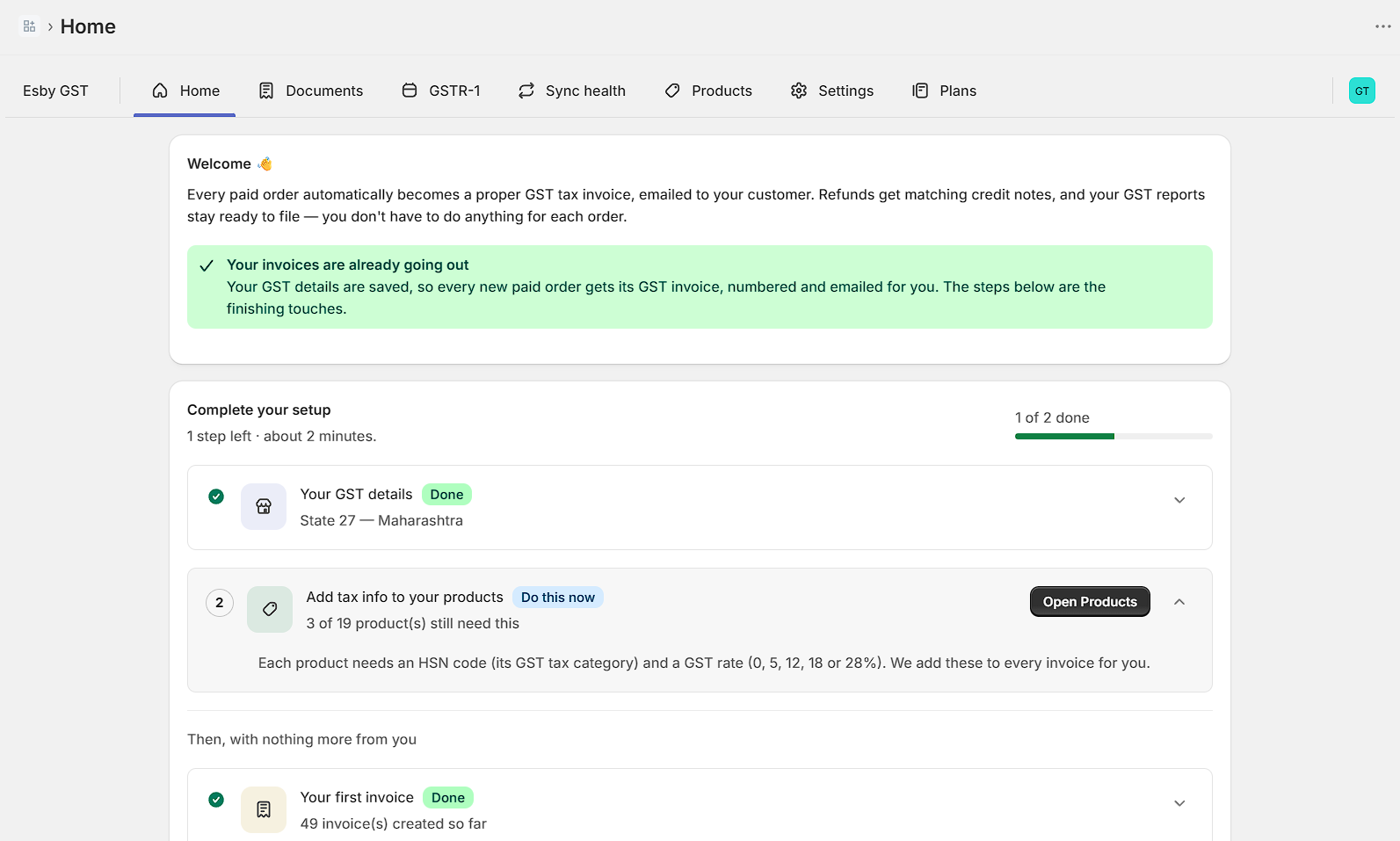
Home tells you in one line whether your invoices are going out. If something needs you, it says so here.
Three things to do, once.
After that the app runs on its own. There is no daily task, no button to press at month end, and nothing to remember.
Install and add your GSTIN
Enter your business details and GSTIN once. Esby checks the number is valid before it saves, so a typo can never reach an invoice.
Set an HSN code and rate per product
Do it once per product. If a product is missing its HSN code, that order waits for you instead of going out with a wrong invoice.
Ship an order — that's it
The moment an order is dispatched, its GST invoice is created, numbered and emailed to your buyer. You do nothing else, ever.
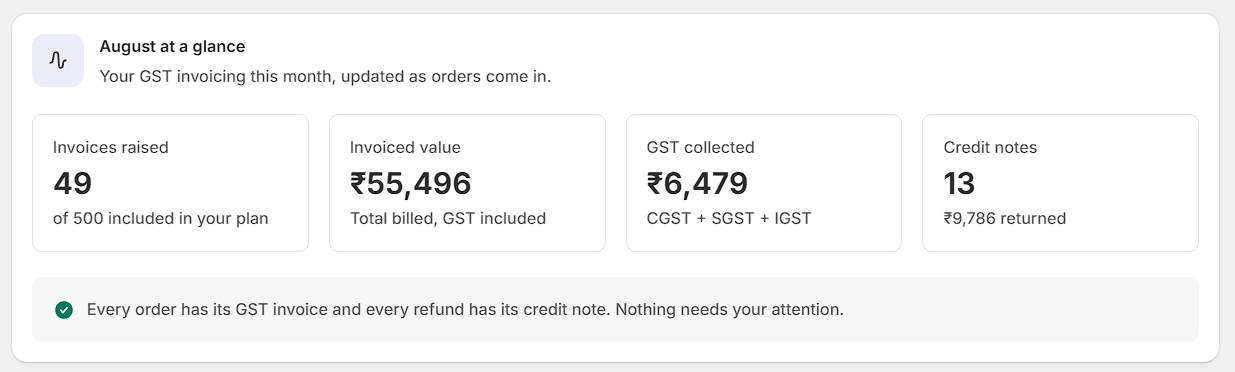
Your month, kept up to date as orders arrive — and a plain sentence telling you whether anything needs looking at.
Built by someone who read the actual rules.
The tax split, the numbering, the credit notes and the HSN codes are the parts that get a merchant into trouble. They are also the parts most apps get quietly wrong.
A real Rule 46 tax invoice
Your GSTIN, the buyer's place of supply, HSN codes, per-line taxable value, and the tax split — all on a document your accountant will recognise.
CGST/SGST or IGST, chosen for you
The tax split follows the shipping state, not a setting you have to remember. A Maharashtra buyer gets CGST + SGST; anyone else gets IGST.
Refunds become credit notes
Every refund raises a matching credit note against the original invoice, in its own separate number series — exactly as GST requires.
Gap-free numbering, per financial year
Numbers run in an unbroken sequence and restart on 1 April. No gaps, no duplicates, nothing for an officer to ask about.
Nothing is silently missed
A failed order retries by itself, and a Sync health screen shows you anything still outstanding. Most invoicing apps fail quietly. This one tells you.
GSTR-1 and Tally, one click
Export any month as a GSTR-1 worksheet or as Tally-ready XML. Bulk download every invoice for a month as a single archive.
Look at the invoice, not the marketing.
The only question that matters for a GST app is whether the document it produces is one your accountant will accept. So here it is — download a real invoice, a credit note, a GSTR-1 worksheet and a Tally file, produced by the app itself.
No email address, no signup. Open them, show them to your CA, then decide.
Download the samples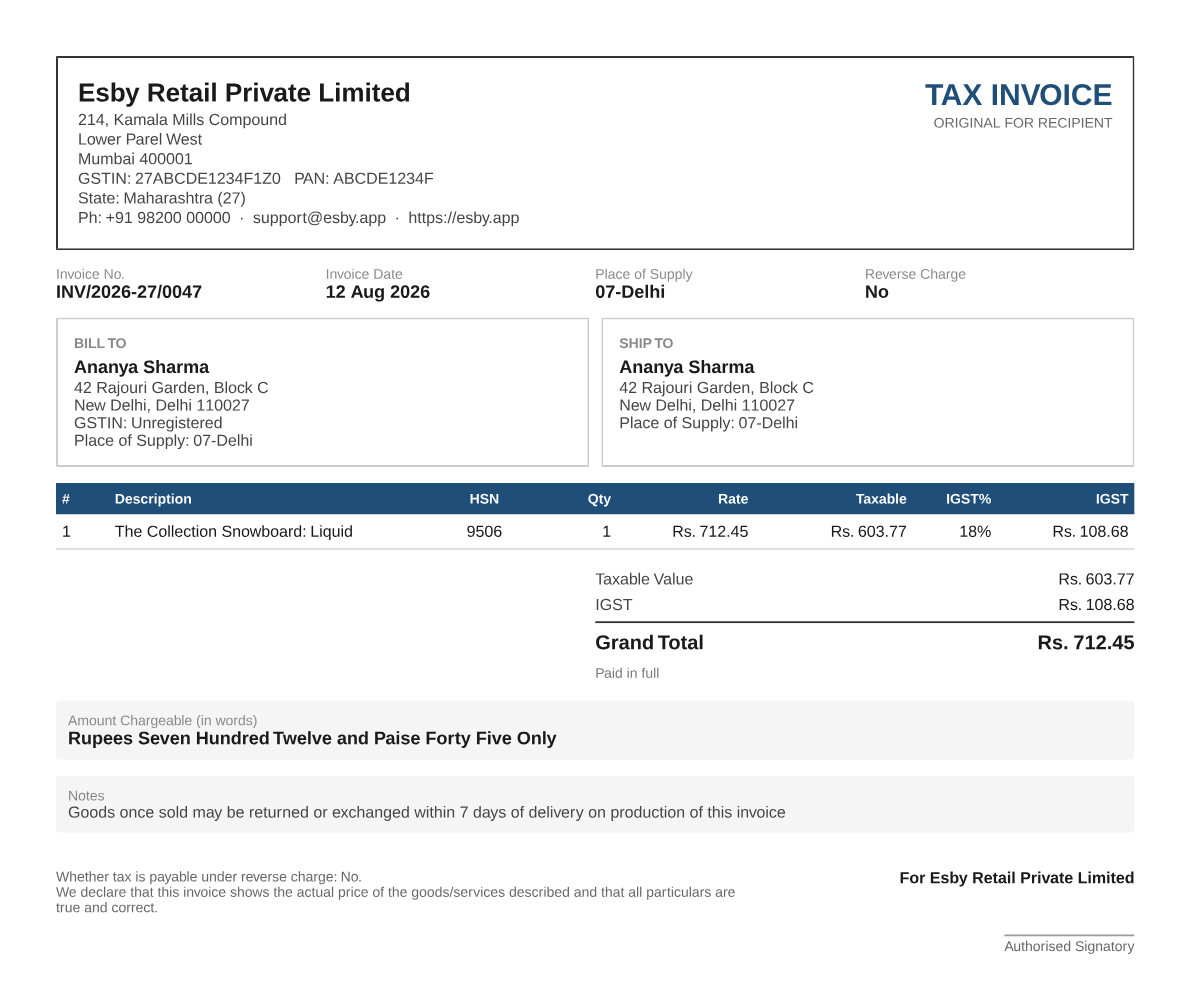
Every paid plan includes every feature.
The plans differ by how many orders you do a month — nothing else. There are no add-ons, and nothing is held back from the cheaper plan.
Starter
For growing stores that want tidy books.
500 orders a month
Billed by Shopify, on your usual Shopify invoice. Full pricing and the free-plan limit →
Stop making invoices by hand.
Install it, spend ten minutes on setup, and let it run. Free for your first 50 orders a month — no card needed.